
For fire departments, municipalities, and county government
Equipment, apparatus and facilities, all in one place.
Tracker replaces clipboards, spreadsheets and aging systems. Crews report problems from their phones, the shop works every repair from one list, and stations know when their equipment is ready.
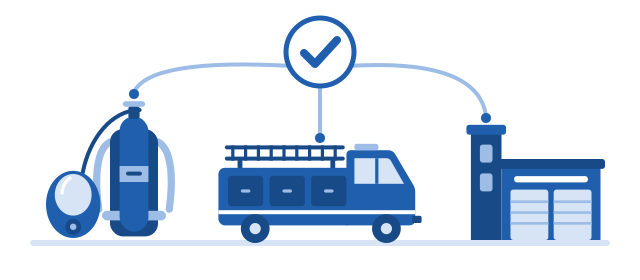
The paperwork problem
- A paper tag on a broken pack, and a clipboard at the shop to match it.
- A spreadsheet for every shop, and an old system nobody can change.
- Stations calling the shop to ask, “Is it ready yet?”
Tracker puts it all in one place that the shop and every station can see.
What it does
One platform for your breathing apparatus (BA) shop, your apparatus, and your stations and facilities. Each area has its own people and roles, and one person can work in more than one.
Every piece of equipment, known
SCBA packs, cylinders, facepieces, RIT-Paks, compressors and air carts each have a record: where it is, the parts inside it, and every move, repair and change since it arrived.
Parts on the shelf are counted, with a list of what’s running low. Bring your existing lists in from Excel; every row is checked before anything is saved.
Hydro tests, cylinder life, flow tests, fit tests and air-quality checks each have a due date, with a Coming due list and reminders before anything runs out.
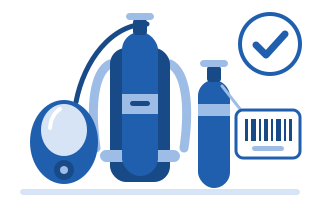
Report a Problem from any station
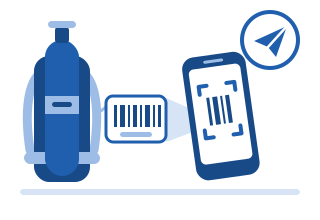
Anyone at a station scans the barcode with their phone’s camera, taps what’s wrong and sends it. It takes about half a minute.
The ticket is on the shop’s list the moment it’s sent, and the crew gets a ticket number for the tag.
Work orders the shop actually uses
Each kind of equipment has its own checklist, and a repair can’t be marked ready until the checklist is done. Techs scan the parts they use, and the count on the shelf comes down by itself.
Finished work goes on the pickup cart with a printed pickup tag.
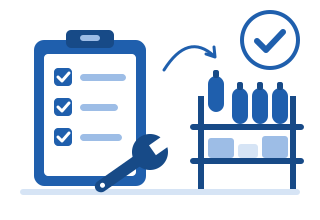
Stations kept informed
Stations get an email when their equipment is ready, and a reminder if it’s still on the cart days later. The My station screen shows every open ticket for a station, or for a whole battalion.
Notes go both ways on the ticket, so nobody has to call the shop to ask.

Apparatus
Every vehicle’s maintenance, inspections and repairs run on the same work orders and parts as the BA shop. Crews report a problem with a rig from the same Report a Problem screen.
- Each mechanic posts their own updates, and a ticket with no update in 3 or 5 days is highlighted for the shop manager.
- PM by date, miles or engine hours, and DOT inspections and aerial certifications that can’t slip, with reminders 30 days ahead.
- Parts, mechanics’ hours and outside invoices add up against each vehicle.
- A reserve takes the unit’s name while it stands in, with a walk-around check sheet at hand-over and return.
The apparatus shop has its own people and roles, and sees its own work.
Stations and facilities
Buildings and their upkeep are reported and tracked the same way. A bay door that won’t close goes in through Report a Problem and becomes a work order for the facilities team.
- Each building and its systems, such as generators, heating and cooling, bay doors and fire alarms, on record with its history.
- Scheduled maintenance and inspections, with reminders 30 days ahead.
- Contractors and their invoices tracked.
- The station sees each update as it’s posted, just as it can for its equipment.
Fit-test scheduling
The shop opens the times it can test, and members pick one online from any phone or computer, including volunteers without a department email address. The shop sees who is booked for each day.
Every member is reminded when their yearly test comes due, and the result goes onto the member’s facepiece record. Only the booking and the result are kept: no medical details.

How a repair moves
From the station to the shop and back, with nobody left guessing.
-
Reported
A crew scans the item, taps the problems and sends.
-
Received
The shop scans in a whole drop-off, and each station gets one email.
-
Worked
Checklist, parts used, and what was found and done.
-
Ready
On the pickup cart, the station emailed, a big-print tag printed.
-
Picked up
One tap, or scan the whole cart. A reminder goes out if it’s still waiting.
Built for the people who use it
-
Big buttons, plain words
Made for the shop floor and the station, not for computer experts.
-
On any phone or computer
Runs in the browser, and adds to a phone’s home screen. Nothing to install.
-
Help on every screen
Short how-to articles with pictures.
-
Scan, don’t type
The phone’s camera reads barcodes and ticket tags.
Built for IT and security reviewers
Tracker is a fully hosted service: there is nothing for you to install, run or patch. This is how each department’s information is kept apart and kept safe.
- Separate by design
- Each department has its own database, files, secrets, encryption keys and backups. A check every morning proves no login can reach another department’s data.
- Strong sign-in
- Your organization’s Microsoft or Google accounts, or Tracker accounts with an authenticator app. Breached passwords are refused, and lockouts and short sessions are built in.
- Encrypted everywhere
- Encrypted connections only, and data and backups are encrypted at rest.
- Every change on record
- An audit trail that can’t be edited records who changed what and when, every sign-in and every export. Records are turned off, never deleted.
- Backed up and tested
- Google’s own daily backups, plus a nightly backup of each department kept 90 days. Restores are practised, never just assumed.
- Built to a published standard
- Designed to OWASP ASVS 5.0 Level 2, with a written threat model. Every change is scanned and tested before release.
- Hosted in the United States
- Tracker runs on Google Cloud, in data centers in the United States.
- Security documentation
- A security datasheet and the documents behind it are available on request.
Request a demo
We’ll show you Tracker and answer your questions, from the shop floor to your IT team.
We’ll write back to set up a time that suits you, and use your details for nothing else (see the privacy note).